netstat -aon |find "[port]"
ex.
netstat -aon |find "8080"
find the processi listening on the selected port an kill it
taskkill /f /pid [port]
ex.
taskkill /f /pid 13708
The following message confirms the action:
SUCCESS: The process with PID [port]
var oFilter = new Filter(
"tolower(LastName)",
FilterOperator.Contains,
"'" + filterString.toLowerCase().replace("'","''") + "'"
);
$filter=substringof(%27o%27%27donnell%27, tolower(FirstName))
tolower(FirstName)
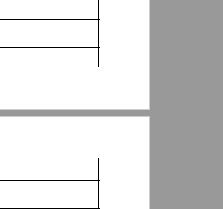 When printing large HTML tables it happens that a row gets wrongly divided between two pages. In order to solve this we can instruct the printer to keep the row on only one of the pages by adding CSS style to the table row.:
tr{
page-break-inside:avoid;
page-break-after:auto
}
var person = {
firstName: 'John',
middleName: 'D.',
lastName: 'Doe'
}
var person = {
firstName: 'John',
middleName: null,
lastName: 'Doe'
}
var person = {
firstName: 'John',
lastName: 'Doe'
}
IF (NOT EXISTS
(SELECT * FROM INFORMATION_SCHEMA.TABLES
WHERE TABLE_SCHEMA = N'SchemaName'
AND TABLE_NAME = N'TableName'))
BEGIN
--Run table creation script
END
IF NOT EXISTS(
SELECT * FROM sys.columns WHERE Name = N'ColumnName'
AND Object_ID = Object_ID(N'TableName'))
BEGIN
--Run column definition script
END
IF EXISTS(select * FROM sys.views where name = N'ViewName')
BEGIN
DROP VIEW ViewName
END
go
CREATE VIEW ViewName ....
IF EXISTS (SELECT * FROM sys.objects
WHERE object_id = OBJECT_ID(N'ProcName')
AND type IN ( N'P', N'PC' ) )
BEGIN
DROP PROCEDURE dbo.[ProcName]
END
go
CREATE PROCEDURE ...
IF EXISTS (SELECT * FROM sys.objects
WHERE object_id = OBJECT_ID(N'[dbo].[FuncName]')
AND type IN ( N'FN', N'IF', N'TF', N'FS', N'FT' ))
BEGIN
DROP FUNCTION [dbo].[FuncName]
END
go
CREATE FUNCTION...
IF EXISTS (SELECT * FROM sys.indexes
WHERE name='IndexName'
AND object_id = OBJECT_ID('TableName'))
BEGIN
--DROP INDEX ...
END
IF NOT EXISTS (SELECT * FROM SampleTable WHERE)
BEGIN
INSERT INTO SampleTable...
END
IF EXISTS (SELECT * FROM SampleTable WHERE)
BEGIN
UPDATE SampleTable SET .... WHERE
END
if (typeof myFunctionName === 'function') {
myFunctionName();
}
DECLARE @from int
DECLARE @to int
DECLARE @fillFactor int
SET @from=1
SET @to=10000
SET @fillFactor=90
DECLARE @dateFrom datetime
DECLARE @table varchar(255)
DECLARE TableCursor CURSOR FOR
SELECT table_name from(
SELECT ROW_NUMBER() OVER (ORDER BY table_name) AS [SortNum], table_name FROM information_schema.tables
WHERE table_type = 'base table')
AS t1 WHERE sortnum>=@from and sortnum<=@to
OPEN TableCursor
FETCH NEXT FROM TableCursor INTO @table
WHILE @@FETCH_STATUS = 0
BEGIN
BEGIN TRY SET @dateFrom = getdate()
DBCC DBREINDEX(@table,' ',@fillFactor)
print 'Table ['+@table+'] indexed for: '+ CAST( DATEDIFF ( ms , @dateFrom , getDate() ) as nvarchar(10)) + ' ms'
END TRY
BEGIN CATCH
print 'Number of errors: '+CAST(ISNULL( ERROR_NUMBER(),'') as nvarchar)
print 'Error: '+ISNULL(ERROR_MESSAGE(),'')
END CATCH
FETCH NEXT FROM TableCursor INTO @table
END
CLOSE TableCursor
DEALLOCATE TableCursor
ALTER DATABASESET PARTNER OFF
ALTER DATABASESET SINGLE_USER WITH ROLLBACK IMMEDIATE
ALTER DATABASECOLLATE SQL_Latin1_General_CP1_CI_AS
RESTORE DATABASEWITH RECOVERY

